当您在自动化操作上添加 webhook URL 时,每当您定义的规则匹配任何新运行时,我们将向您的 webhook 端点发出 POST 请求。
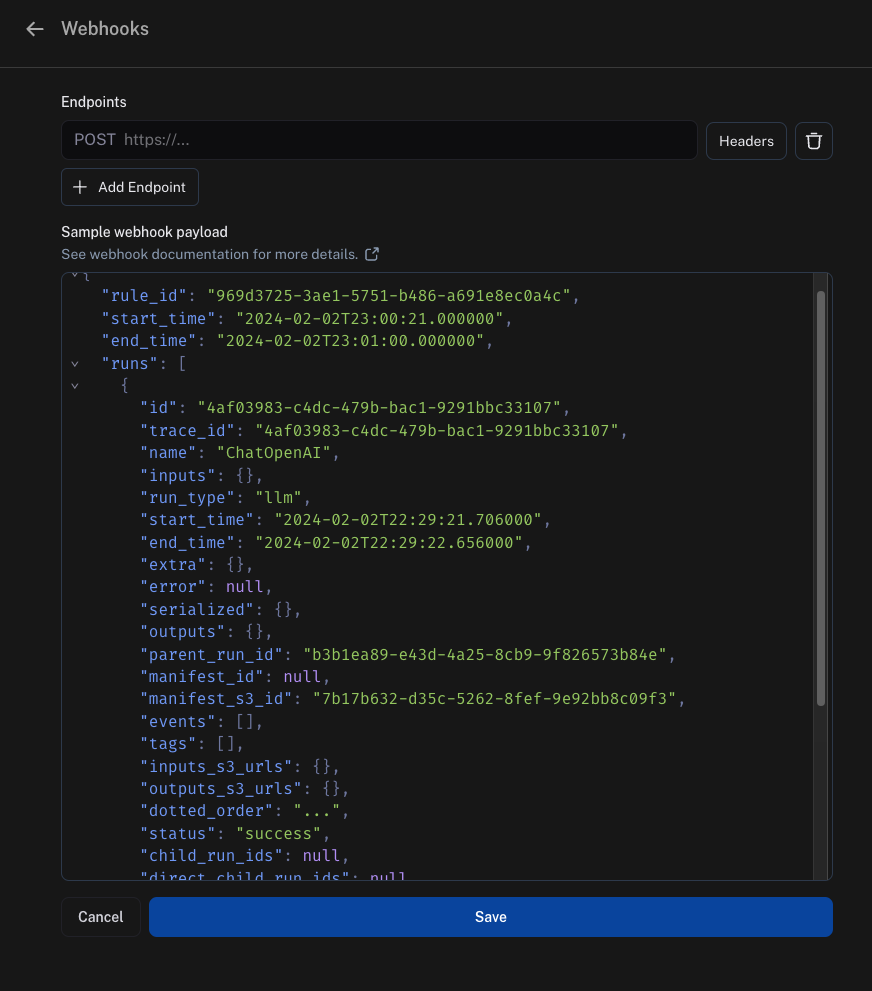
Webhook 有效负载
我们发送到您的 webhook 端点的有效负载包含:
"rule_id":这是发送此有效负载的自动化的 ID"start_time" 和 "end_time":这些是我们找到匹配运行的时间边界"runs":这是运行数组,其中每个运行都是字典。如果您需要有关每个运行的更多信息,我们建议在端点中使用我们的 SDK 从我们的 API 获取它。"feedback_stats":这是具有运行反馈统计信息的字典。下面显示了此字段的示例有效负载。
"feedback_stats": {
    "about_langchain": {
        "n": 1,
        "avg": 0.0,
        "show_feedback_arrow": true,
        "values": {}
    },
    "category": {
        "n": 0,
        "avg": null,
        "show_feedback_arrow": true,
        "values": {
            "CONCEPTUAL": 1
        }
    },
    "user_score": {
        "n": 2,
        "avg": 0.0,
        "show_feedback_arrow": false,
        "values": {}
    },
    "vagueness": {
        "n": 1,
        "avg": 0.0,
        "show_feedback_arrow": true,
        "values": {}
    }
}
从 S3 URL 获取根据运行的时间,inputs_s3_urls 和 outputs_s3_urls 字段可能包含指向实际数据的 S3 URL,而不是数据本身。inputs 和 outputs 可以通过 inputs_s3_urls 和 outputs_s3_urls 中提供的 ROOT.presigned_url 分别获取。
{
  "rule_id": "d75d7417-0c57-4655-88fe-1db3cda3a47a",
  "start_time": "2024-04-05T01:28:54.734491+00:00",
  "end_time": "2024-04-05T01:28:56.492563+00:00",
  "runs": [
    {
      "status": "success",
      "is_root": true,
      "trace_id": "6ab80f10-d79c-4fa2-b441-922ed6feb630",
      "dotted_order": "20230505T051324571809Z6ab80f10-d79c-4fa2-b441-922ed6feb630",
      "run_type": "tool",
      "modified_at": "2024-04-05T01:28:54.145062",
      "tenant_id": "2ebda79f-2946-4491-a9ad-d642f49e0815",
      "end_time": "2024-04-05T01:28:54.085649",
      "name": "Search",
      "start_time": "2024-04-05T01:28:54.085646",
      "id": "6ab80f10-d79c-4fa2-b441-922ed6feb630",
      "session_id": "6a3be6a2-9a8c-4fc8-b4c6-a8983b286cc5",
      "parent_run_ids": [],
      "child_run_ids": null,
      "direct_child_run_ids": null,
      "total_tokens": 0,
      "completion_tokens": 0,
      "prompt_tokens": 0,
      "total_cost": null,
      "completion_cost": null,
      "prompt_cost": null,
      "first_token_time": null,
      "app_path": "/o/2ebda79f-2946-4491-a9ad-d642f49e0815/projects/p/6a3be6a2-9a8c-4fc8-b4c6-a8983b286cc5/r/6ab80f10-d79c-4fa2-b441-922ed6feb630?trace_id=6ab80f10-d79c-4fa2-b441-922ed6feb630&start_time=2023-05-05T05:13:24.571809",
      "in_dataset": false,
      "last_queued_at": null,
      "inputs": null,
      "inputs_s3_urls": null,
      "outputs": null,
      "outputs_s3_urls": null,
      "extra": null,
      "events": null,
      "feedback_stats": null,
      "serialized": null,
      "share_token": null
    }
  ]
}
安全性
我们强烈建议你在 webhook URL 中添加一个密钥查询字符串参数,并在任何传入请求上验证它。这确保如果有人发现你的 webhook URL,你可以将这些调用与真实的 webhook 通知区分开来。
示例:
https://api.example.com/langsmith_webhook?secret=38ee77617c3a489ab6e871fbeb2ec87d
Webhook 自定义 HTTP 标头
如果你想在 webhook 中发送任何特定标头,可以为每个 URL 配置。要设置此功能,请单击 URL 字段旁边的 Headers 选项并添加你的标头。

Webhook 交付
在向你的 webhook 端点交付事件时,我们遵循以下准则:
- 如果我们无法连接到你的端点,我们会在声明交付失败之前重试传输连接最多 2 次。
- 如果你的端点需要超过 5 秒才能回复,我们声明交付失败且不重试。
- 如果你的端点在 5 秒内返回 5xx 状态代码,我们使用指数退避最多重试 2 次。
- 如果你的端点返回 4xx 状态代码,我们声明交付失败且不重试。
- 你的端点在正文中返回的任何内容都将被忽略。
Modal 示例
作为如何设置此功能的示例,我们将使用 Modal。Modal 为推理和微调提供自动扩展 GPU,为代码智能体提供安全容器化,以及无服务器 Python Web 端点。我们将重点介绍 Web 端点。
首先,创建一个 Modal 账户。然后,在本地安装 Modal SDK:
要完成账户设置,请运行命令:
并按照说明操作。
接下来,你需要在 Modal 中设置一些密钥。
首先,LangSmith 需要通过传入密钥来向 Modal 进行身份验证。
最简单的方法是在查询参数中传入密钥。
要验证此密钥,我们需要在 Modal 中添加一个密钥来验证它。
我们将通过创建 Modal 密钥来完成此操作。
你可以在此处查看密钥的说明 here。
为此,让我们将密钥称为 ls-webhook,并让它设置一个名为 LS_WEBHOOK 的环境变量。
我们还可以设置 LangSmith 密钥——幸运的是,已经有一个集成模板!
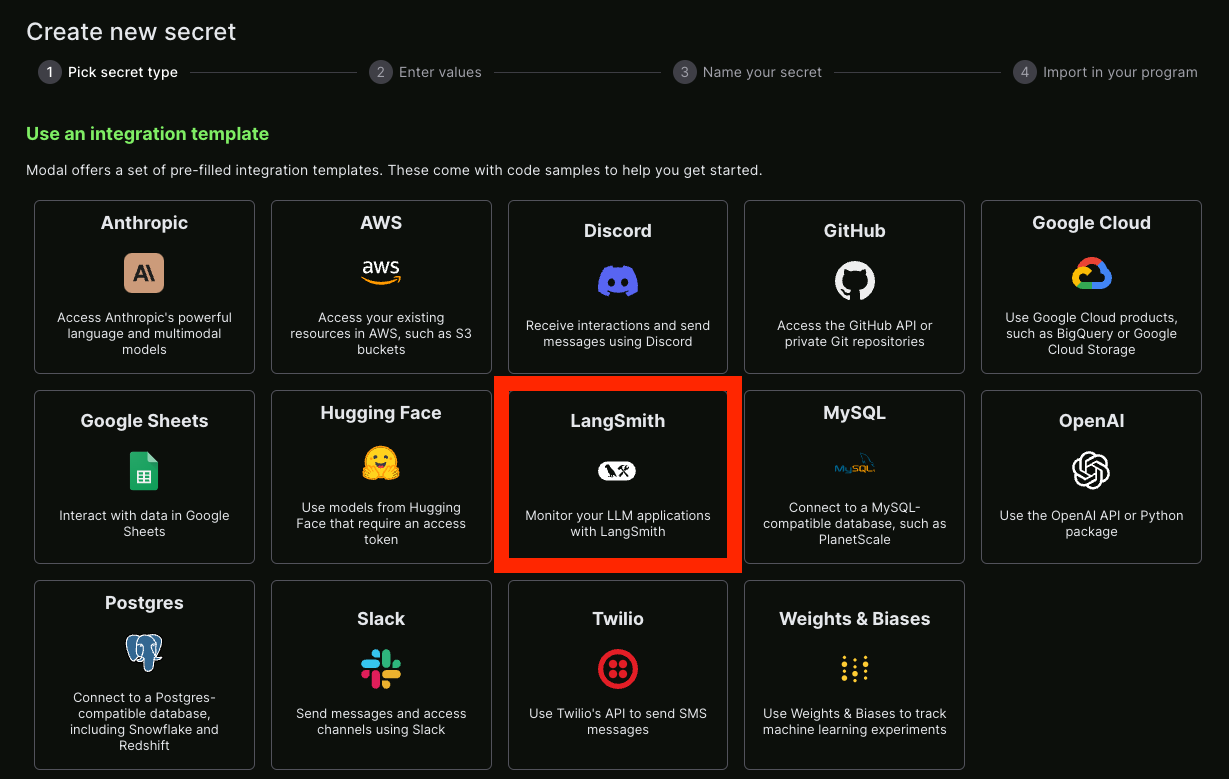 之后,你可以创建一个 Python 文件作为你的端点。
下面是一个示例,带有解释正在发生的事情的注释:
之后,你可以创建一个 Python 文件作为你的端点。
下面是一个示例,带有解释正在发生的事情的注释:
from fastapi import HTTPException, status, Request, Query
from modal import Secret, Stub, web_endpoint, Image

stub = Stub("auth-example", image=Image.debian_slim().pip_install("langsmith"))


@stub.function(
    secrets=[Secret.from_name("ls-webhook"), Secret.from_name("my-langsmith-secret")]
)
# 我们希望这是一个 `POST` 端点,因为我们将在这里发布数据
@web_endpoint(method="POST")
# 我们设置一个 `secret` 查询参数
def f(data: dict, secret: str = Query(...)):
    # 你可以在 Modal 函数内部导入本地没有的依赖项
    from langsmith import Client

    # 首先,我们验证我们传递的密钥
    import os

    if secret != os.environ["LS_WEBHOOK"]:
        raise HTTPException(
            status_code=status.HTTP_401_UNAUTHORIZED,
            detail="Incorrect bearer token",
            headers={"WWW-Authenticate": "Bearer"},
        )

    # 这是我们放置 webhook 内部应该发生的逻辑的地方
    ls_client = Client()
    runs = data["runs"]
    ids = [r["id"] for r in runs]
    feedback = list(ls_client.list_feedback(run_ids=ids))
    for r, f in zip(runs, feedback):
        try:
            ls_client.create_example(
                inputs=r["inputs"],
                outputs={"output": f.correction},
                dataset_name="classifier-github-issues",
            )
        except Exception:
            raise ValueError(f"{r} and {f}")
    # 函数体
    return "success!"
modal deploy ... 轻松部署它(请参阅文档 here)。
你现在应该看到类似以下内容:
✓ Created objects.
├── 🔨 Created mount /Users/harrisonchase/workplace/langsmith-docs/example-webhook.py
├── 🔨 Created mount PythonPackage:langsmith
└── 🔨 Created f => https://hwchase17--auth-example-f.modal.run
✓ App deployed! 🎉

View Deployment: https://modal.com/apps/hwchase17/auth-example
https://hwchase17--auth-example-f.modal.run - 我们创建来运行的函数。
注意:这不是最终部署 URL,请确保不要意外使用它。
连接它
我们现在可以获取上面创建的函数 URL 并将其添加为 webhook。
我们必须记住还要将密钥作为查询参数传递。
将所有内容放在一起,它应该看起来像:
https://hwchase17--auth-example-f-dev.modal.run?secret={SECRET}
{SECRET} 替换为你创建的用于访问 Modal 服务的密钥。

