- 内置工具:由模型提供商(如 OpenAI 和 Anthropic)提供的预配置工具,可随时使用。这些包括网络搜索、代码解释等功能。
- 自定义工具:您定义用于执行特定任务的函数。当您需要与自己的系统集成或创建专门功能时,这些很有用。当您在 LangSmith Playground 中定义自定义工具时,您可以验证模型是否正确识别并使用正确的参数调用这些工具。我们计划很快支持直接执行这些自定义工具调用。
何时使用工具
- 当您需要网络搜索或代码解释等常见功能时,请使用内置工具。这些由模型提供商构建和维护。
-
当您想要测试和验证自己的工具设计时,请使用自定义工具,包括:
- 验证模型选择使用哪些工具并查看它在工具调用中提供的特定参数
- 模拟工具交互
内置工具
LangSmith Playground 原生支持来自 OpenAI 和 Anthropic 的各种工具。如果您想使用 Playground 中未明确列出的工具,您仍然可以通过手动指定其type 和任何必需的参数来添加它。
OpenAI 工具
- 网络搜索:搜索网络以获取实时信息
- 图像生成:基于文本提示生成图像
- MCP:使模型能够访问远程 MCP 服务器上托管的工具
- 查看所有 OpenAI 工具
Anthropic 工具
Adding and using tools
Add a tool
To add a tool to your prompt, click the+ Tool button at the bottom of the prompt editor. 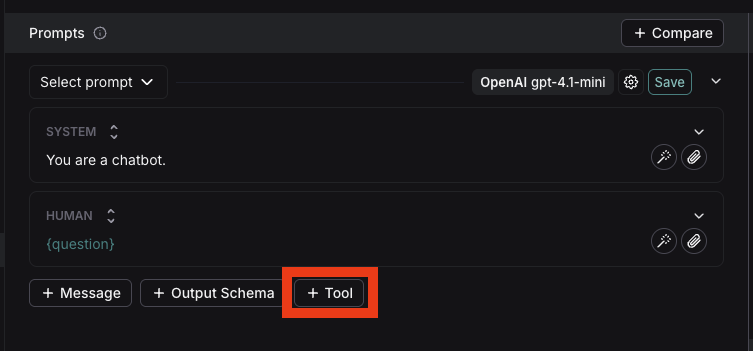
Use a built-in tool
- In the tool section, select the built-in tool you want to use. You’ll only see the tools that are compatible with the provider and model you’ve chosen.
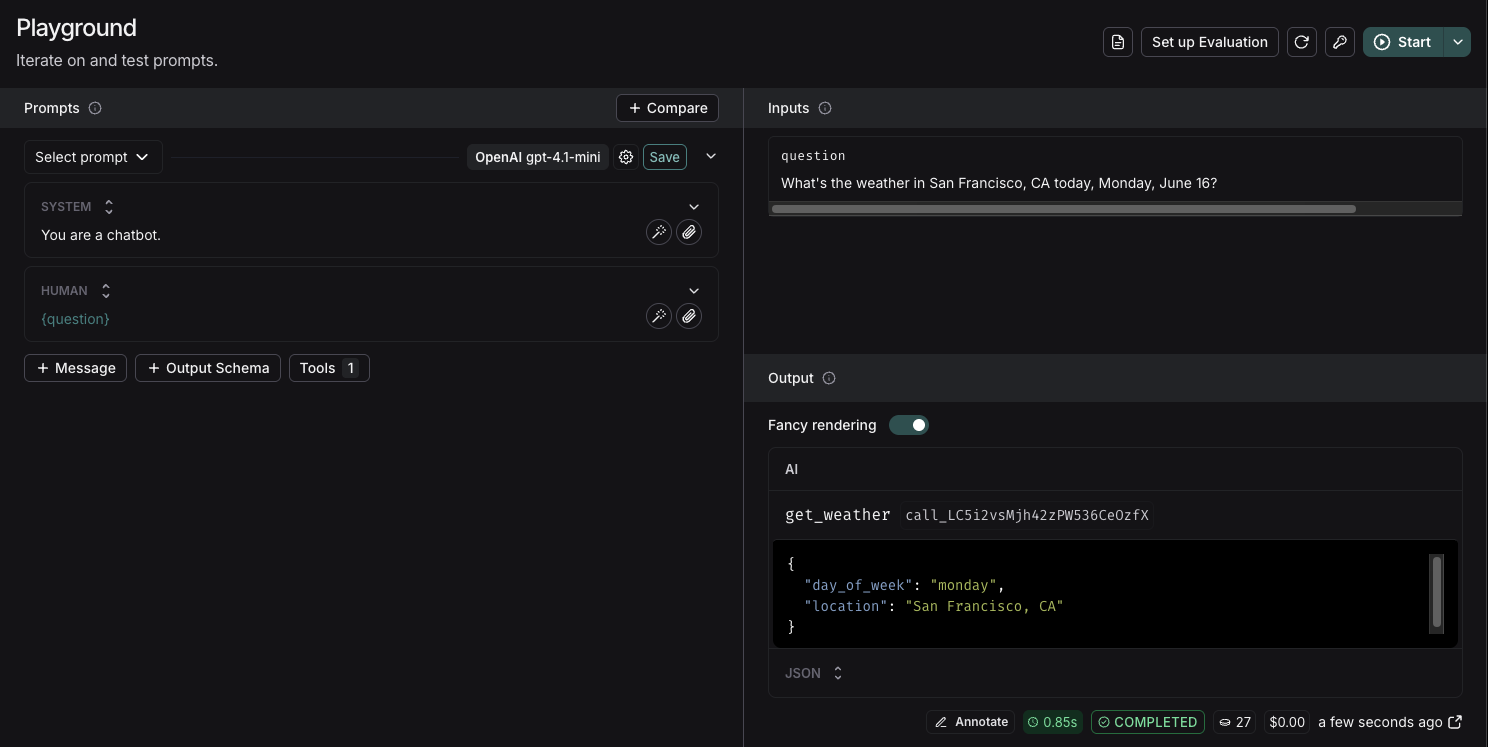
- When the model calls the tool, the playground will display the response

Create a custom tool
To create a custom tool, you’ll need to provide:- Name: A descriptive name for your tool
- Description: Clear explanation of what the tool does
- Arguments: The inputs your tool requires
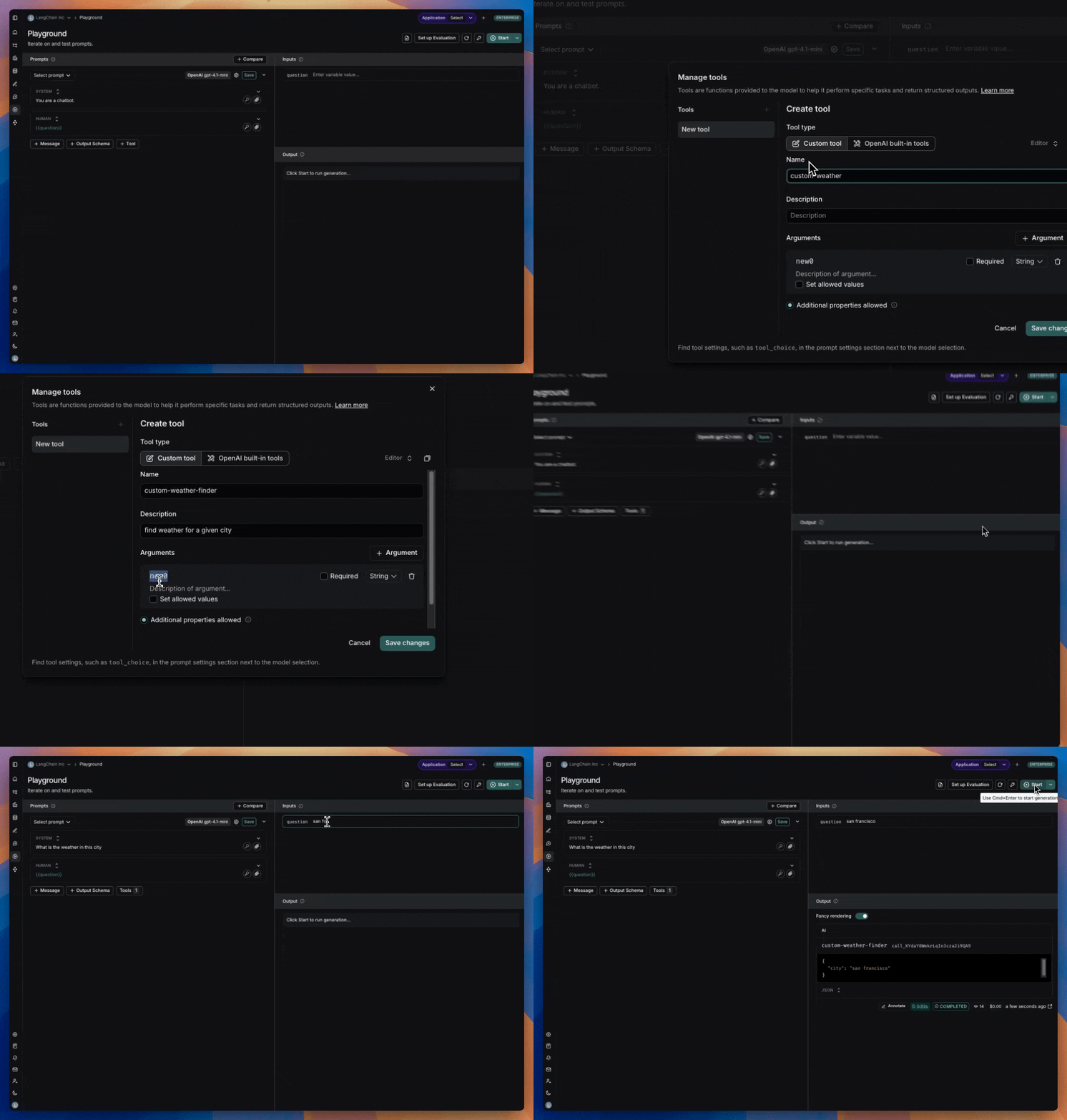 Note: When running a custom tool in the playground, the model will respond with a JSON object containing the tool name and the tool call. Currently, there’s no way to connect this to a hosted tool via MCP.
Tool choice settings
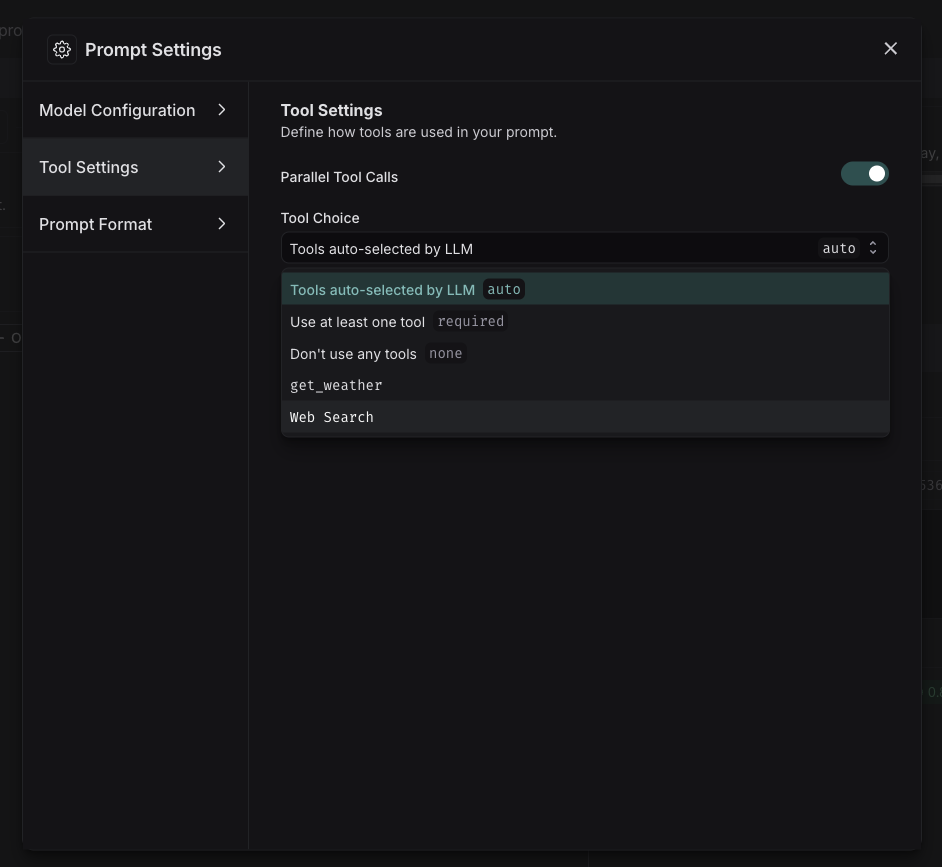
Some models provide control over which tools are called. To configure this:- Go to prompt settings
- Navigate to tool settings
- Select tool choice