先决条件
在开始之前,请确保您具备:- LangSmith 账户:在 smith.langchain.com 注册或登录。
- LangSmith API 密钥:遵循创建 API 密钥指南。
- OpenAI API 密钥:从 OpenAI 仪表板生成。
- UI
- SDK
1. Set workspace secrets
在 LangSmith UI 中,确保您的 OpenAI API 密钥设置为工作区密钥。- 导航到 Settings,然后移至 Secrets 选项卡。
- 选择 Add secret 并输入
OPENAI_API_KEY以及您的 API 密钥作为 Value。 - 选择 Save secret。
在 LangSmith UI 中添加工作区密钥时,请确保密钥键与模型提供商预期的环境变量名称匹配。
2. Create a prompt
LangSmith’s Prompt Playground makes it possible to run evaluations over different prompts, new models, or test different model configurations.- In the LangSmith UI, navigate to the Playground under Prompt Engineering.
-
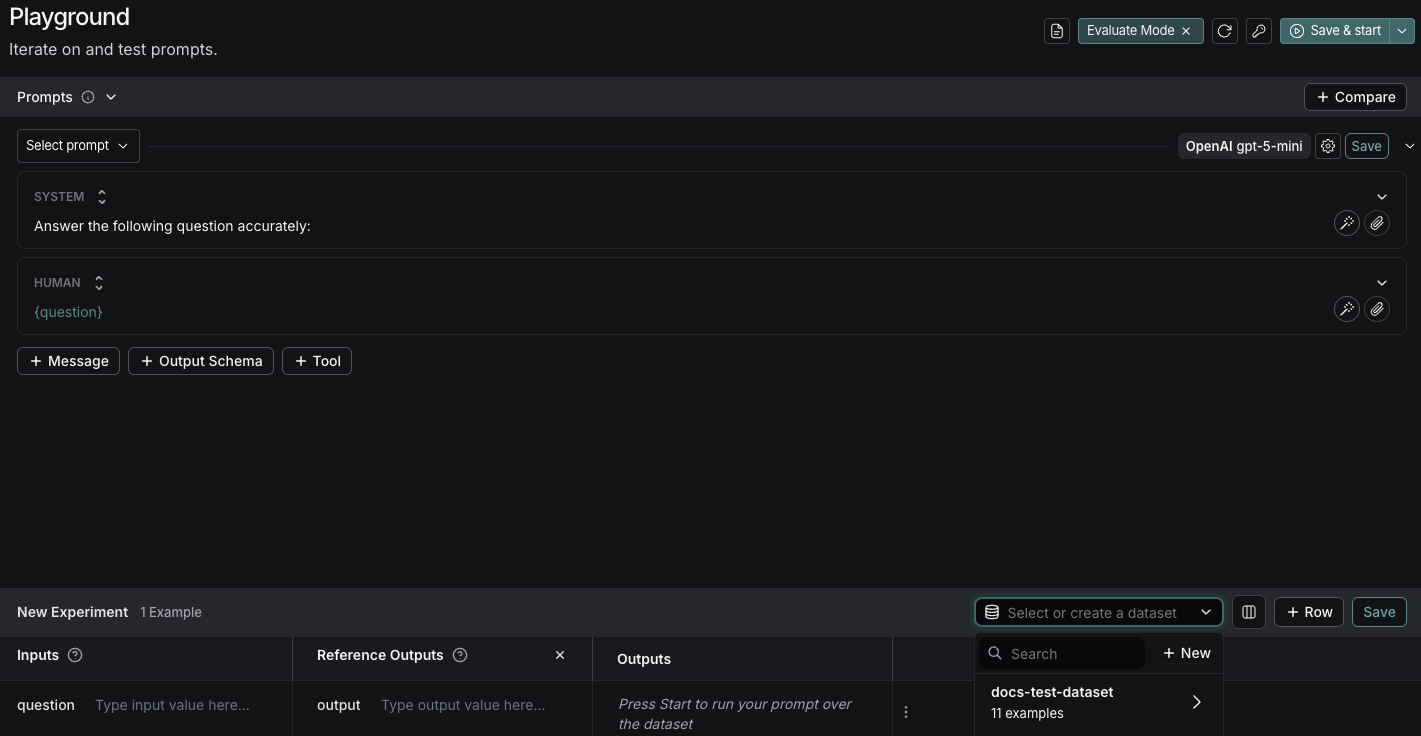
Under the Prompts panel, modify the system prompt to:
Leave the Human message as is:
{question}.
3. Create a dataset
- Click Set up Evaluation, which will open a New Experiment table at the bottom of the page.
-
In the Select or create a new dataset dropdown, click the + New button to create a new dataset.

-
Add the following examples to the dataset:
Inputs Reference Outputs question: Which country is Mount Kilimanjaro located in? output: Mount Kilimanjaro is located in Tanzania. question: What is Earth’s lowest point? output: Earth’s lowest point is The Dead Sea. - Click Save and enter a name to save your newly created dataset.
4. Add an evaluator
- Click + Evaluator and select Correctness from the Pre-built Evaluator options.
- In the Correctness panel, click Save.
5. Run your evaluation
-
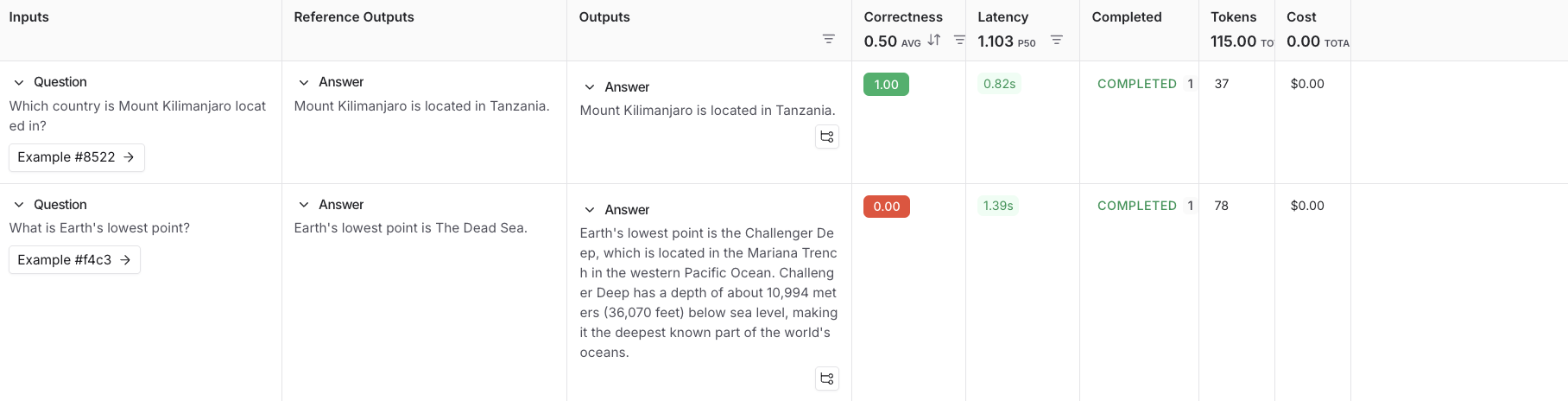
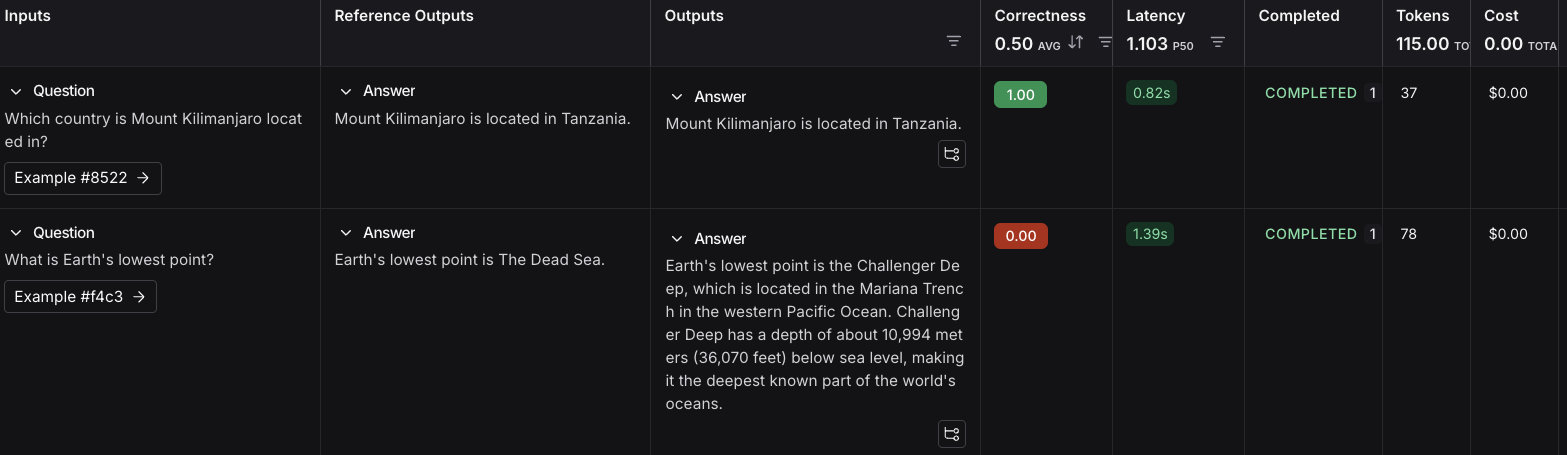
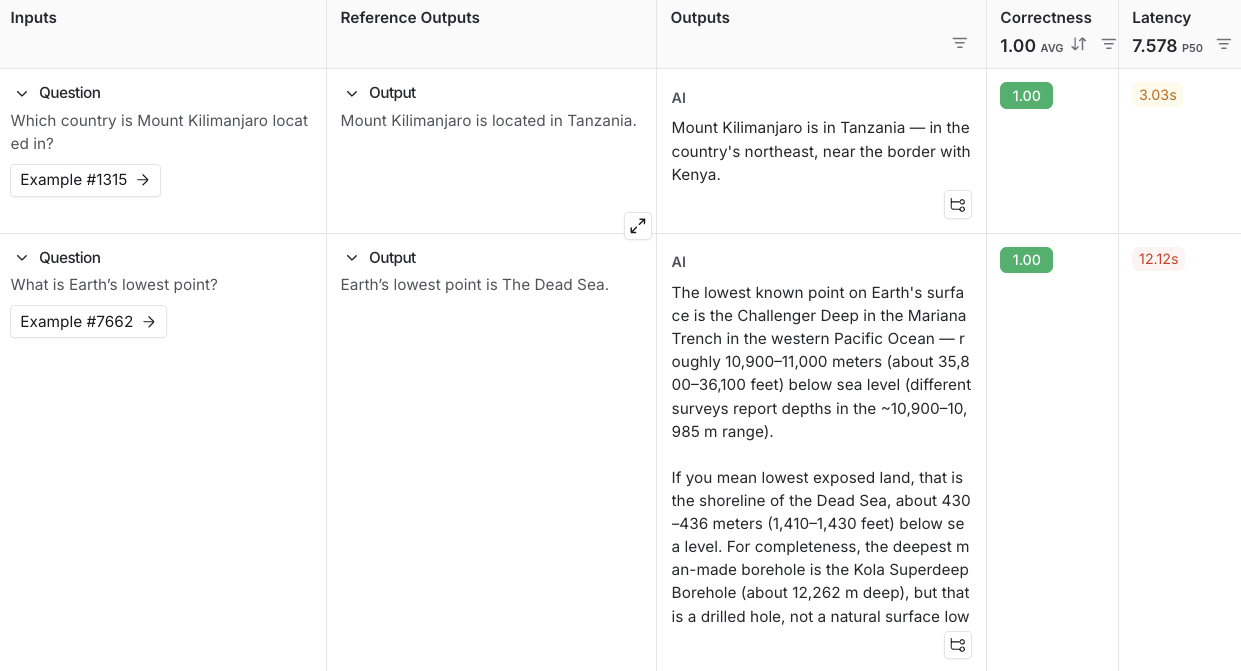
Select Start on the top right to run your evaluation. This will create an experiment with a preview in the New Experiment table. You can view in full by clicking the experiment name.

Next steps
- For more details on evaluations, refer to the Evaluation documentation.
- Learn how to create and manage datasets in the UI.
- Learn how to run an evaluation from the prompt playground.