

功能说明
工作区管理员邀请组织成员
LangSmith 默认仅允许组织管理员邀请新成员。自托管部署若希望将此权限下放给工作区管理员,可通过特性开关让工作区管理员在工作区级别邀请成员加入组织及其所管理的工作区。 启用后,工作区管理员可在Settings > Workspaces > Workspace members 面板中操作。工作区级邀请支持以下场景,组织级邀请流程保持不变:
- 受邀用户尚未加入组织:会同时将其添加为组织与工作区的待批准成员
- 受邀用户已是组织成员:会直接加入工作区,状态为活跃成员
Configuration
SSO 新成员登录流程
自 Helm v0.11.10 起,使用 OAuth SSO 的自托管部署无需在 LangSmith 设置中手动添加成员。系统会为部署指定一个默认组织,新用户首次登录 LangSmith 时会自动加入该组织。 对于默认组织,可以指定新成员被加入的工作区及其在工作区中的角色;其它组织仍沿用原有邀请流程。用户加入组织后,如需调整其工作区或角色,仍须通过 LangSmith 设置或 SCIM 完成。By default, all new users are added to the organization’s initially provisioned workspace (Workspace 1 by default) with the Workspace Editor role.
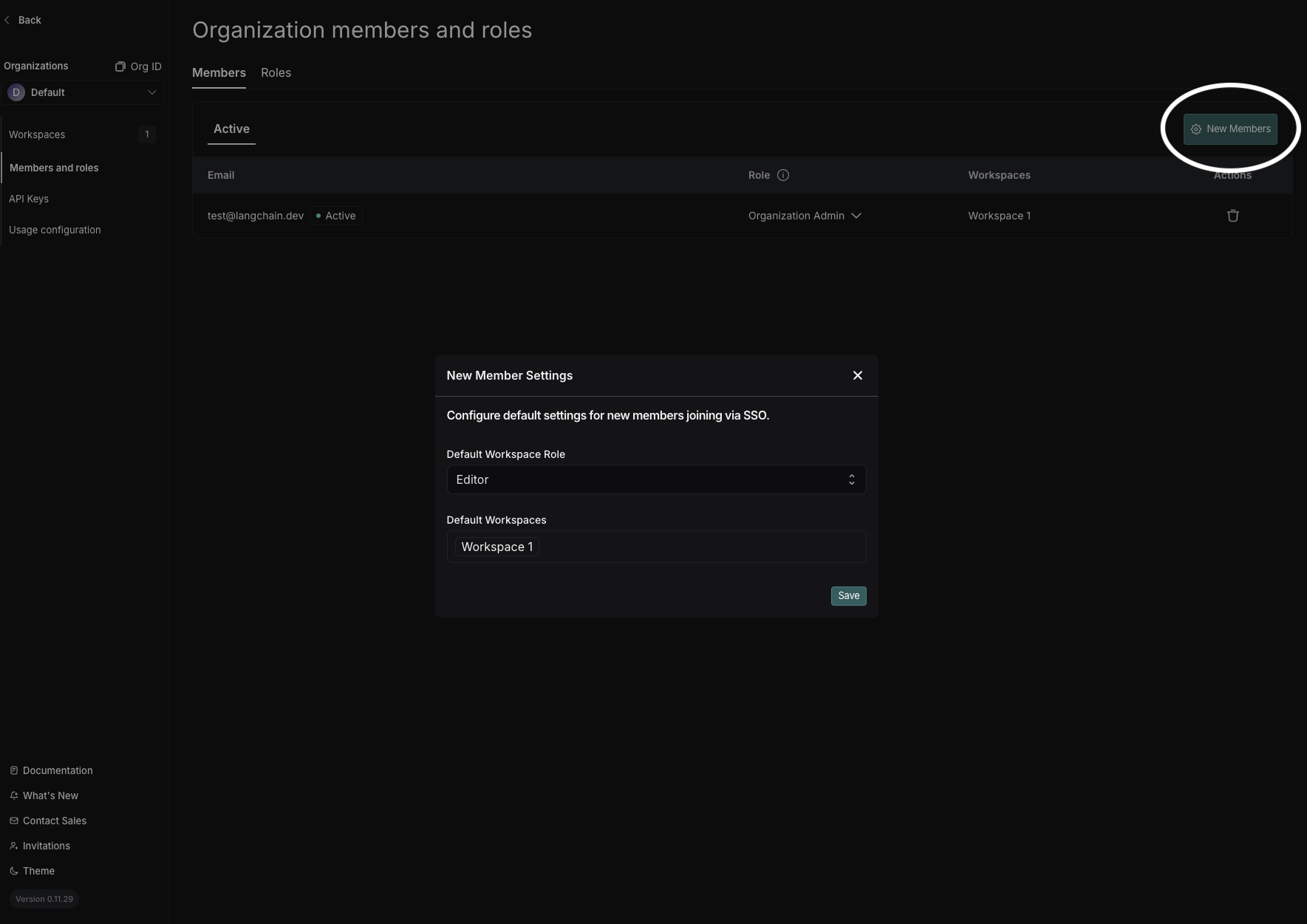
To change your default organization, use Set Default Organization in the organization selector dropdown. (Org Admin permissions required in both the source and target organization.)
禁止创建组织
LangSmith 默认允许任何用户创建组织。自托管部署在初始化组织后,可通过特性开关禁止普通用户再创建新组织。Configuration
The
userOrgCreationDisabled feature flag is set to true by default for organizations using basic auth or SSO.禁止创建个人组织
默认情况下,用户首次登录 LangSmith 会自动生成个人组织。自托管部署可启用特性开关,禁止用户创建个人组织。Configuration
The
personalOrgsDisabled feature flag is set to true by default for organizations using basic auth or SSO.